
Plans and billing
What the Free and Pro plans include, how to move between them and pay monthly, quarterly or yearly, and what happens if you move back to Free.
On this page
Each server has its own plan. You can run one server on Pro and another on Free.
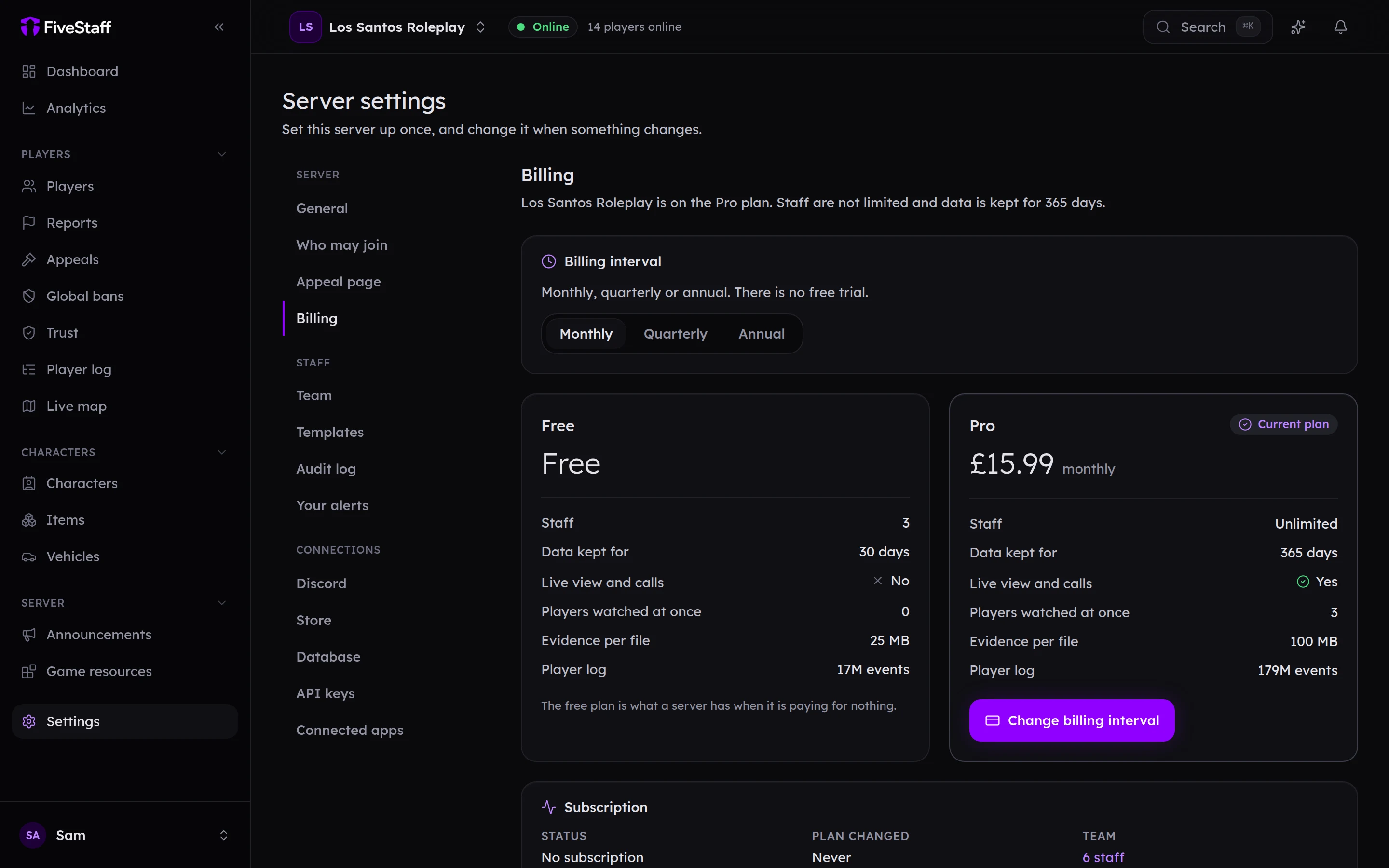
What each plan includes#
| Free | Pro | |
|---|---|---|
| Staff | 3, including you | No limit |
| Data kept | 30 days | 1 year |
| Live view and calls | No | Yes |
| Players watched at once | None | 3 |
| Evidence per file | 25 MB | 100 MB |
| Player log | About 17 million events | About 179 million events |
Both plans include players, reports, bans, appeals, the audit log and the Discord bot, and both will include the mobile app when it arrives. Current prices are on the pricing page.
Moving to Pro#
- Go to Settings → Billing.
- Choose Monthly, Quarterly or Annual. Quarterly and annual cost less per month.
- Press Move to Pro and pay through our payment provider, Stripe.
There is no free trial. Pro starts as soon as the payment goes through.
Invoices and payment details opens Stripe's own page, where you change your card, download invoices and add VAT details.
Change billing interval switches between monthly, quarterly and annual.
Moving back to Free#
Press Move to free at the bottom of the Billing page and confirm.
- You and your two longest-serving staff keep access. Everybody else is deactivated, not deleted, and comes back if you move to Pro again. You can swap who keeps a place afterwards on the Team page.
- Data is then kept for 30 days instead of a year, so anything older than that is removed.
- Live view and calls stop.
Billing needs the Manage billing permission, which only the owner has unless you give it to somebody.