
Trust scores and the join gate
Every player has a trust score from 0 to 100 built from their history. Use it to flag, hold or refuse risky players as they connect, and catch ban evaders.
Every player on your server has a trust score from 0 to 100. It starts at 70 and moves with their history: time played and commendations raise it, warnings, kicks and bans lower it.
Your staff see it on the Players list and on each profile, where the Trust tab shows exactly what moved it.
Open Trust in the sidebar to change how it works.
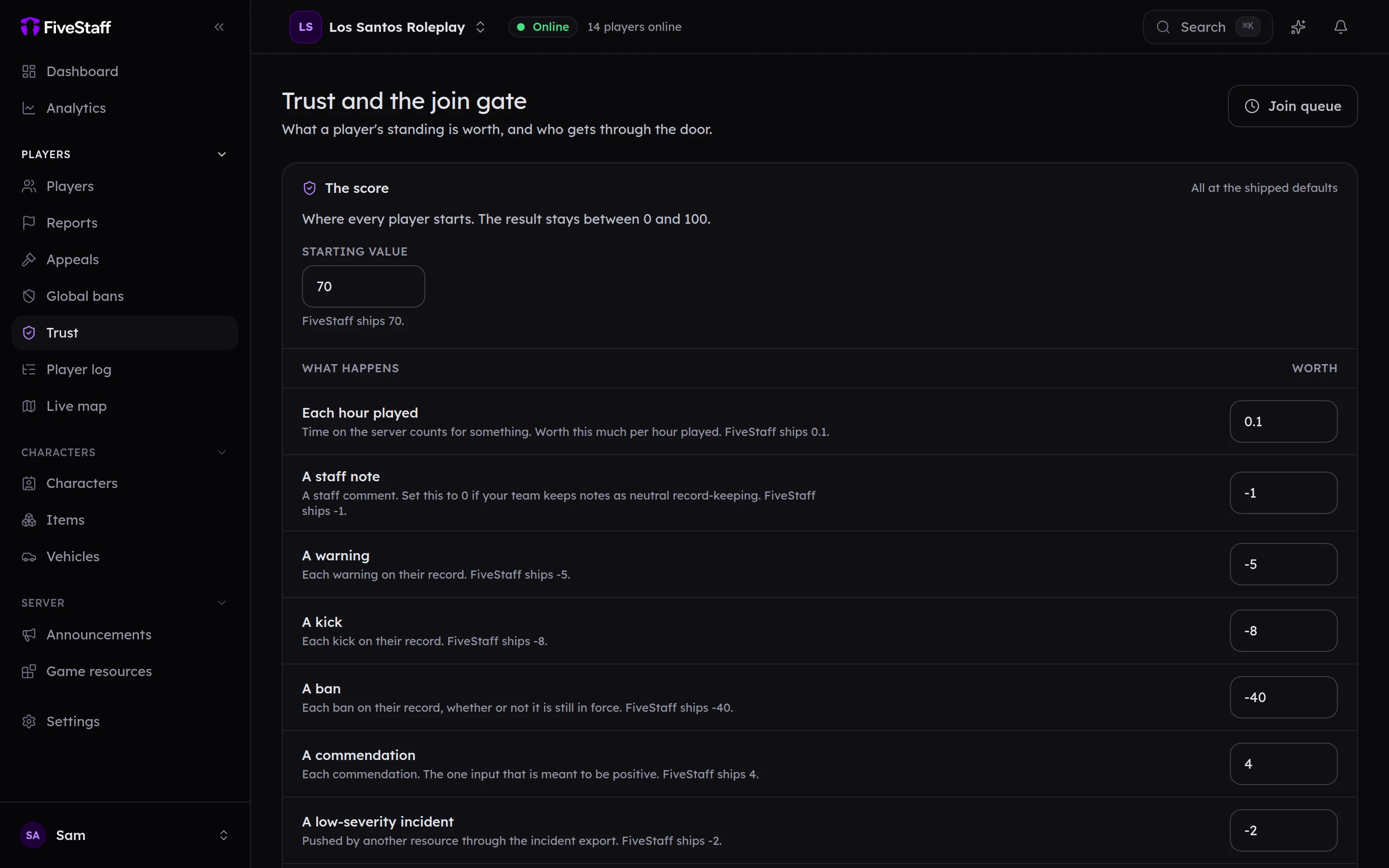
How the score is worked out#
The score lists each thing that moves it and by how much. The defaults are:
| What happens | Worth |
|---|---|
| Each hour played | +0.1 |
| A staff note | −1 |
| A warning | −5 |
| A kick | −8 |
| A ban | −40 |
| A commendation | +4 |
| A report against them that ended in action | −6 |
| A report they made that came to nothing | −4 |
Change any of them, and the Starting value, to suit your server. Press Save and re-score and every player's score is worked out again.
The join gate#
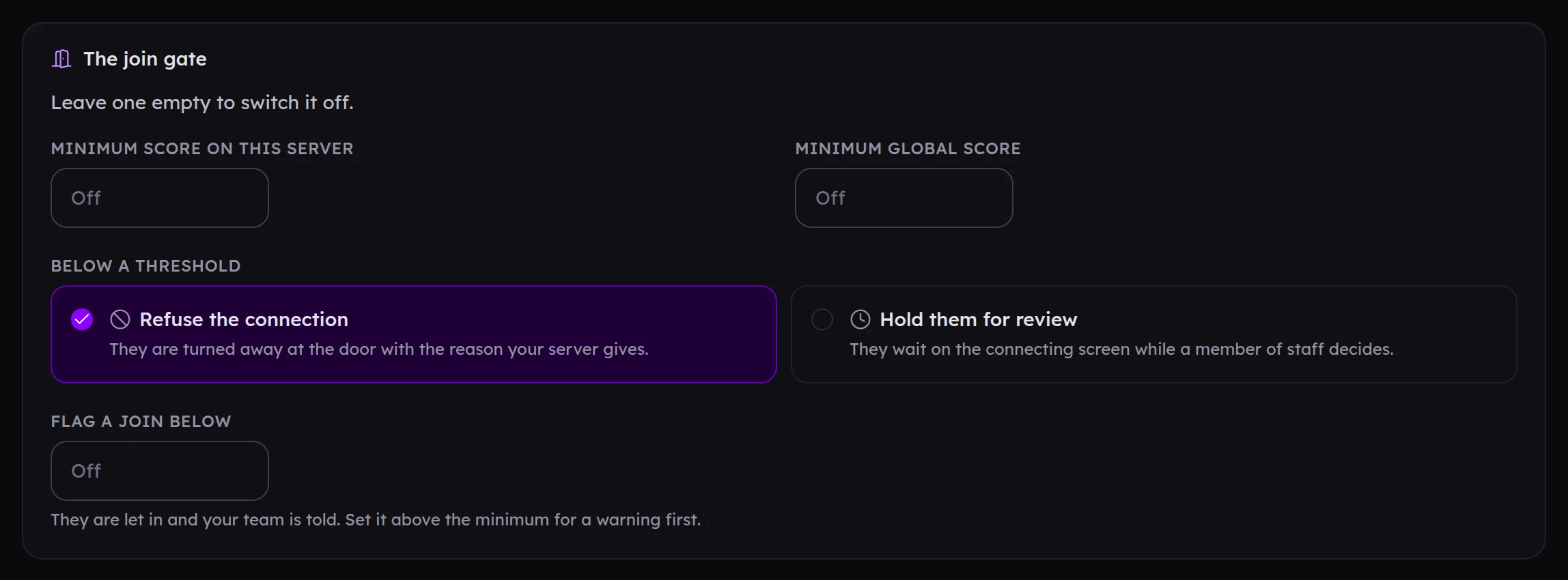
The join gate uses trust scores as players connect. Every part is off until you fill it in.
- Minimum score on this server: players below it are stopped.
- Below a threshold: choose to Refuse the connection, or Hold them for review in the join queue.
- Flag a join below: players below this get in, but your team is told. Set it above the minimum.
The join queue#
If you hold players for review, they wait on FiveM's connecting screen while your staff decide. Open Join queue from the Trust page to see them, with a countdown for each, and press Let in or Refuse. Choose how long they wait and what happens if nobody answers in time.
Your staff are told about queued players by email, and in your join queue Discord channel.
The global score#
Players also have a global score across every server using FiveStaff. It starts at 100 and only goes down, and only when servers with different owners have taken action against the same player. You can Contribute to it and See it; both are on by default. Set a Minimum global score to use it at your door.
Ban evasion#
When a player connects sharing an identifier, IP address or hardware token with a banned player, FiveStaff links the two.
- Tell my team (on by default): the profile is marked Linked to a ban and your team is told.
- Refuse the connection as well (off by default): they are turned away at the door. It never places a ban. Leave this off unless you need it, because a shared address is often just a household.