
The staff toolbox
One key in game opens a panel holding the things staff do fifty times a shift — built from the role each staff member has, and recorded like everything else.
On this page
The toolbox is a panel that slides in on the right of the screen, walked with the arrow keys and closed with Backspace. It is for the moderator who needs to freeze somebody about to drive into the sea, and who should not have to open anything to do it.
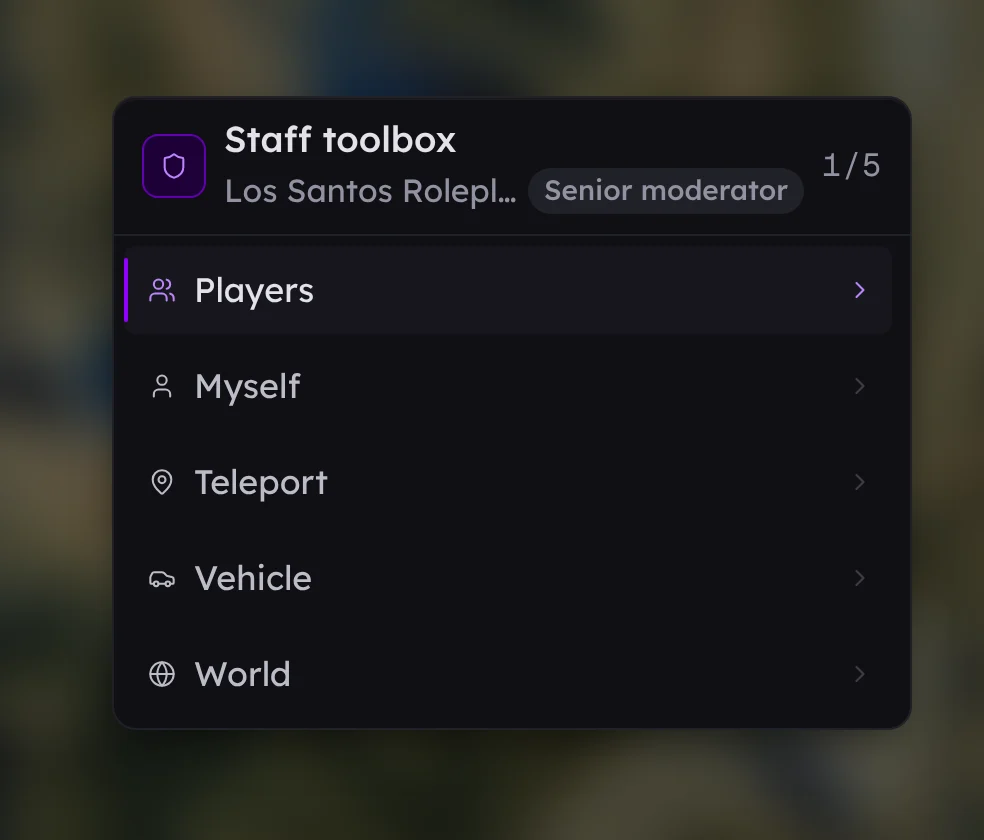
It is a faster way to reach things FiveStaff already does. Every row ends in the same action the panel has, taken by the same checks, written to the same audit log with the same row. What it adds is four presses: open, pick a branch, pick a row, done.
Opening it#
| How | What it is |
|---|---|
| The key | F6 to start with. You set your server's starting key, and each member of staff can rebind it in FiveM's own key settings like any other keybind. |
| /tb | A short command beside the key, for whoever's key is taken or who is typing in chat already. Rename it or turn it off in Settings → In game if another script owns those two letters. |
| /staff toolbox | Always works, whatever the key is set to. |
It takes the keyboard and leaves the rest of the game alone, so you can keep walking, driving and looking around while it is open.
Walking it#
- Up and down move between rows. The header counts where you are.
- Right, or Enter, opens a branch or presses a row.
- Left, or Backspace, steps back out. From the first screen, Backspace closes it and the game takes the cursor back.
- Left and right also walk a row that steps — vehicle handling, a paint colour — without leaving the row.
- On a long screen, type to narrow it. A list of jobs or mod slots is quicker to type at than to scroll.
A branch never shows more than twelve rows at once. Arrow onto the last one and the list slides up by one rather than the panel growing down your screen, so the rows stay where your eye left them.
What is in it#
| Branch | What it holds |
|---|---|
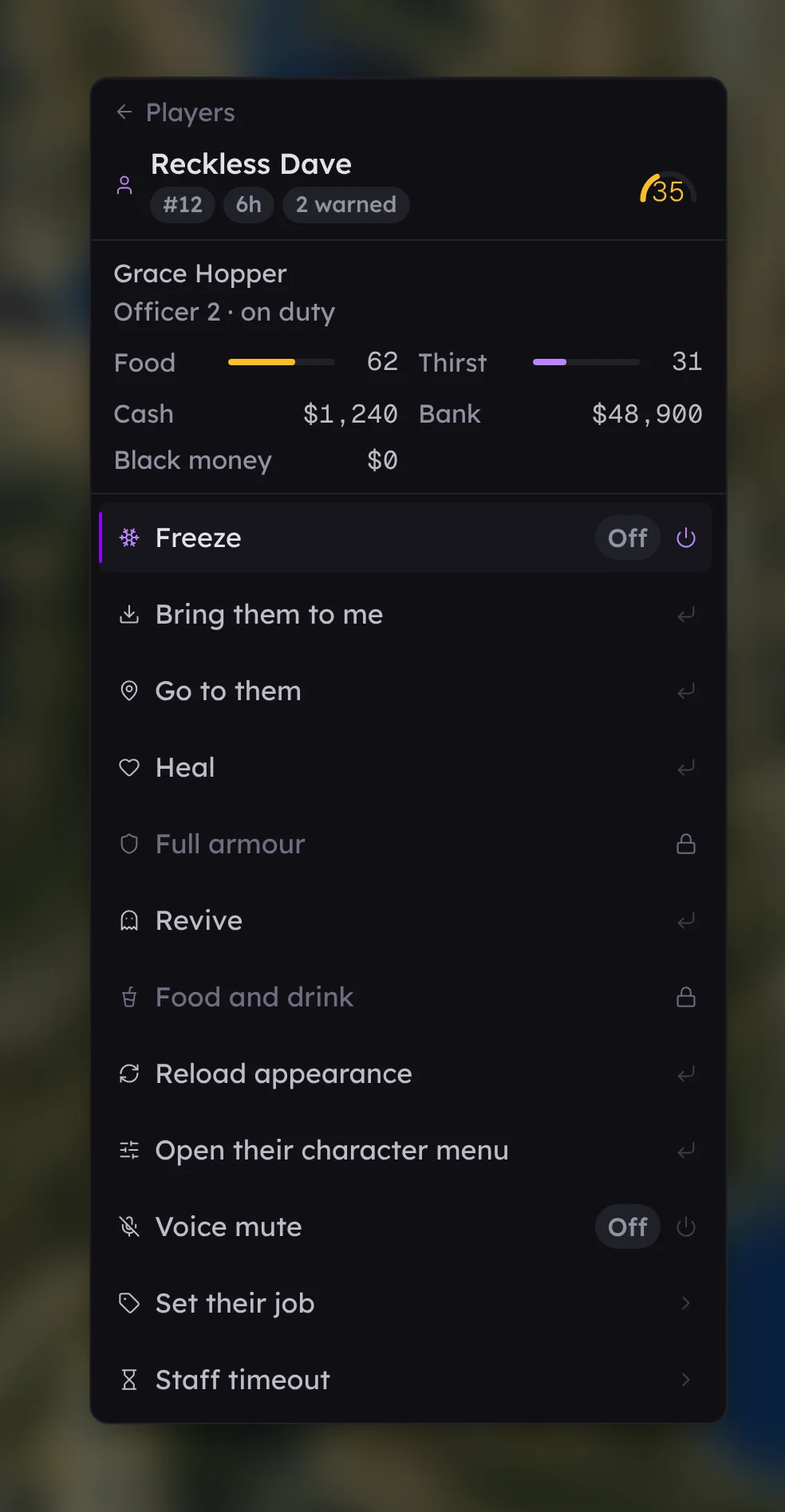
| Players | Everybody on the server, with their ping. Open one and you get their trust score, what they are playing as, how they are doing, what is in their accounts, and the rows that act on them: freeze, heal, revive, bring, go to, voice mute, staff timeout, their job, their money, their inventory. |
| Myself | Godmode, noclip, invisibility, super jump, endless stamina, never being wanted — and the overlays below. |
| Teleport | Your waypoint, back where you were, and the saved places you set up in the panel. |
| Vehicle | The car you are sitting in: its plate and how much of its body, engine and fuel tank are left, then repair, flip, clean, max performance, live handling, and the paint, wheels, extras and mod slots this model can take. |
| World | Time of day, weather, tidying away abandoned vehicles, healing everybody, and announcing something to the whole server. |
Why some rows are greyed#
A row your role cannot use is drawn greyed with a padlock and a line saying so, rather than hidden.
That is on purpose. A menu that quietly leaves things out teaches a new moderator that the toolbox is missing things, and leaves them asking in your Discord for something that is one tick away. Greyed, they can see it exists and who to ask.
It is a courtesy and not the gate. The real check happens when a row is pressed: the panel looks the press up in the toolbox it would build for that staff member now, and refuses anything that is not in it. A modified client cannot press a row it was never given.
It is the role, not a second set of settings#
There is nothing to configure about the toolbox itself beyond the switch and the key. The panel builds each staff member's toolbox out of the keys their role holds, every time they open it, so:
- Tick Freeze players for your moderators and Freeze appears in their toolbox.
- Take it away and it is greyed the next time they press the key.
- Give a role the toolbox and it still holds nothing until you say what that role may do — the toolbox's own permission decides whether the panel exists for them, and nothing else.
See roles and permissions for the list, and connect Discord if you would rather your existing Discord roles decide.
Your own car, and only what it has#
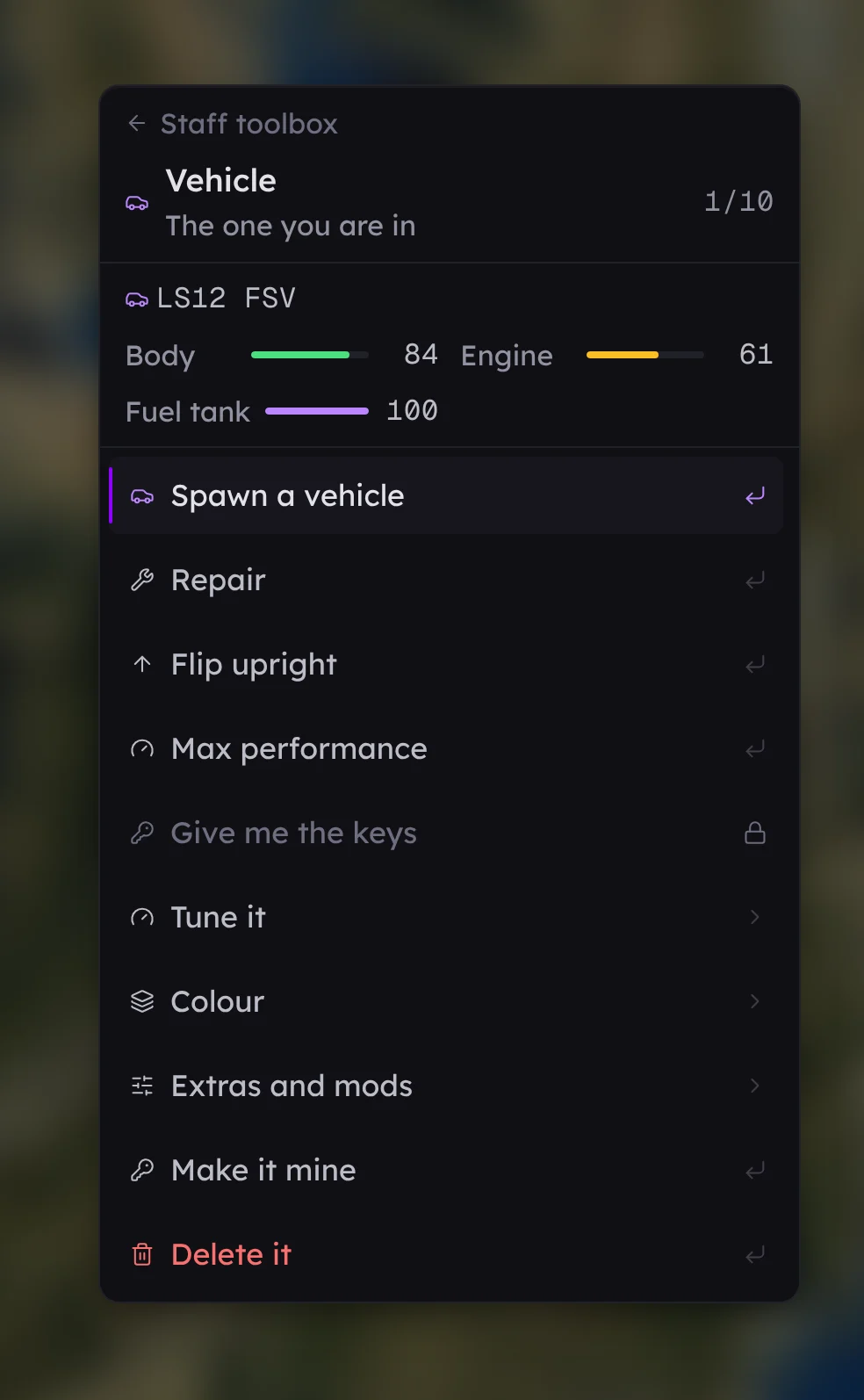
The condition reads live rather than freezing when the screen opened, because you are usually looking at it while something is happening to the car.
The styling rows are filtered by the car in front of you: a van has no spoiler slot and a supercar has no extras, so those rows are simply not there. On foot they all go and the screen says to get into a vehicle first.
Handling changes are yours alone — they are your own copy of how the car drives, nothing changes for anybody else and nothing is saved. Everything else about a car outlives you, so each of those is one row in the audit log saying which part changed and which way.
What staff turn on for themselves#
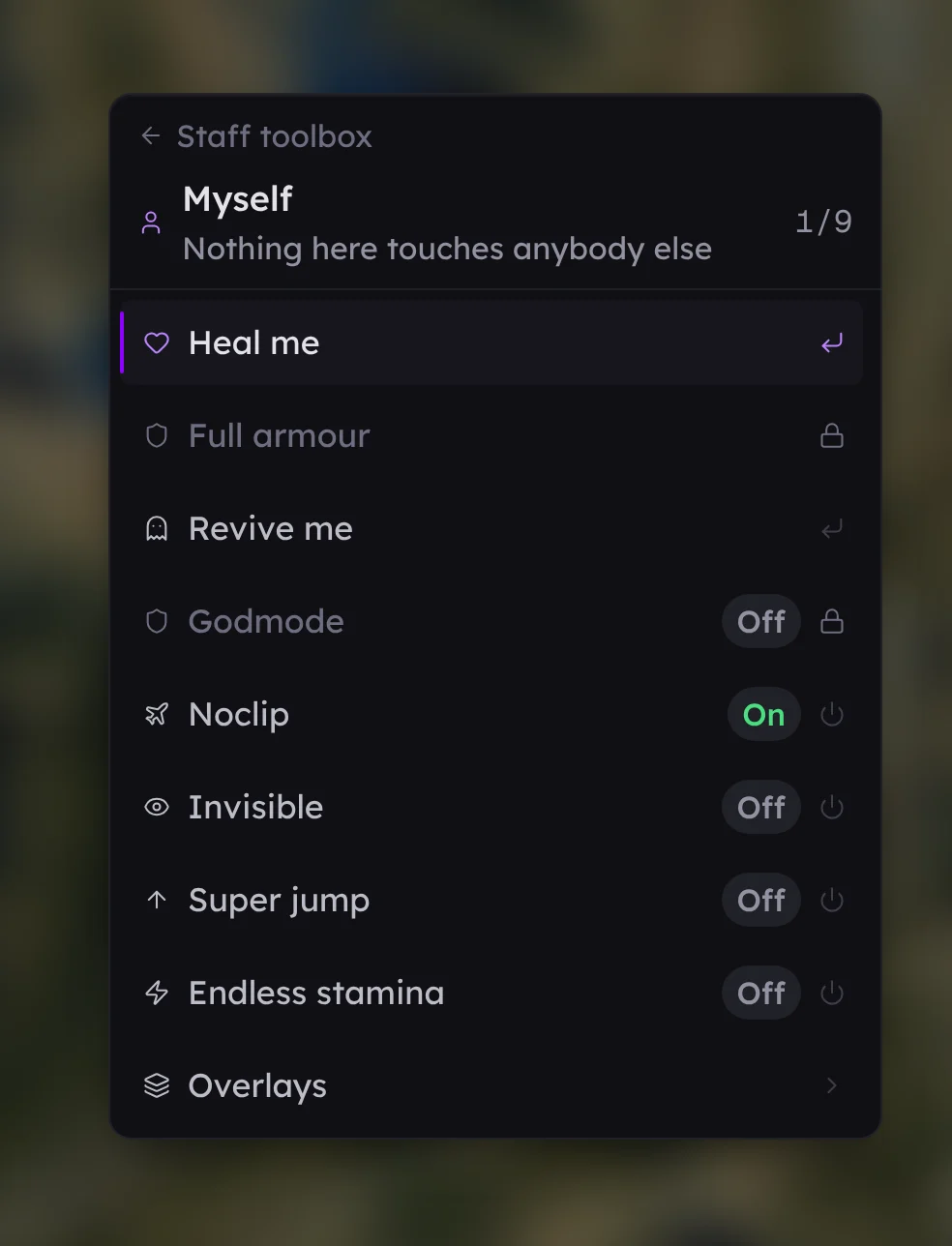
Godmode, noclip and invisibility are actions like any other: each has its own permission, and each is written to the audit log even though the person it was done to is the staff member. What a player experiences when a moderator is invincible or walking through a wall is exactly what you need to be able to find when somebody complains.
The overlays under Myself are different. Name tags, who is talking, health and armour bars, how far away somebody is, map blips, plates, speed and your own coordinates are drawn for you and nobody else, nothing is done to any player, and so nothing is recorded. They are one permission and a preference we remember for you.
The developer section#
Under Myself, behind a permission of its own that no role holds until you give it: the coordinate copiers, debug overlays, an entity inspector, an entity monitor, a network event monitor, everybody as a blip, player skeletons, and one row that turns all of it off again.
It is for whoever is building the server rather than moderating it, which on most servers is one or two people. Every row is drawn by that person's own client from what it can already see, so nothing is done to any player and nothing is recorded.
If it does not open#
- Check the toolbox is switched on in Settings → In game.
- Check the staff member's role has the toolbox permission. Without it, nothing happens at all.
- If the key does nothing, try /staff toolbox, which ignores the key entirely. A key that does nothing is usually another resource holding it — rebind it in FiveM's key settings.
- If /tb does nothing but /staff toolbox works, another script owns those two letters. Rename ours in Settings → In game.