
Connect Discord
Add the FiveStaff bot to your Discord server to post staff logs to your channels, give staff seats from their Discord roles and use slash commands.
On this page
Connecting your Discord server gives you three things:
- Logs in your channels. Reports, staff actions, appeals and more are posted where your team already looks.
- Role sync. Your Discord roles decide who is on your FiveStaff team.
- Slash commands. Staff can look players up, warn, kick and ban from Discord. See the Discord bot.
Add the bot#
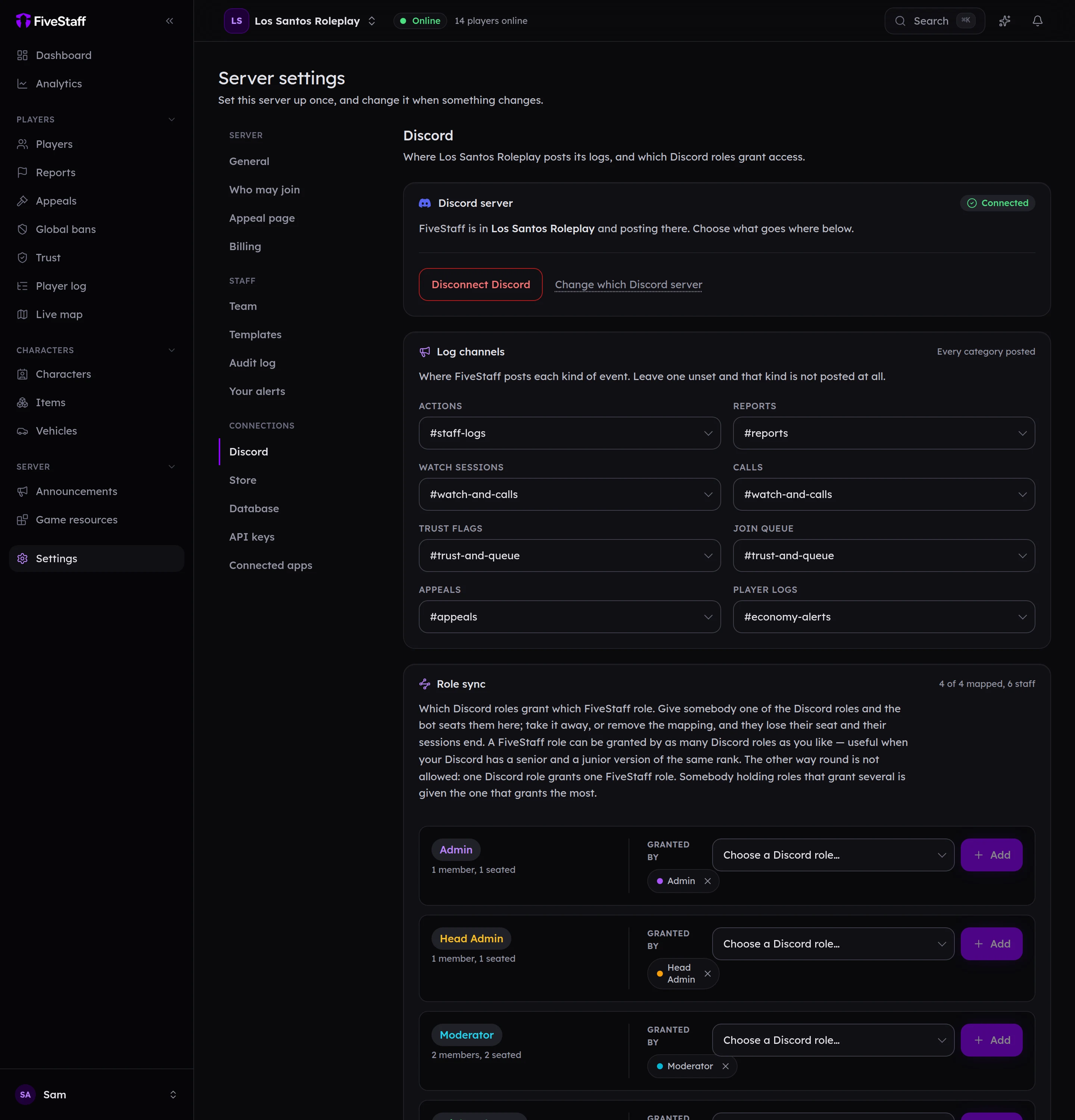
- Go to Settings → Discord and press Add FiveStaff to Discord.
- Discord asks which server to add it to. Choose yours.
- Discord shows the permissions the bot asks for. Press Authorise.
- You come back to the panel, which now says Connected.
The bot asks only for what it needs: to read and post in channels, and to manage roles so it can give a member of staff their Discord role when you sign off their trial. It never asks to be an administrator.
Choose your log channels#
Under Log channels, pick a channel for each kind of event, then press Save channels. Leave one unset and that kind is not posted at all.
| Kind | What is posted |
|---|---|
| Actions | Every warning, kick, ban, note and commendation |
| Reports | New reports, with buttons to claim and view them |
| Watch sessions | When staff start and stop watching a player |
| Calls | Calls between staff and players |
| Trust flags | Players who join with a low trust score |
| Join queue | Players waiting at the gate for a decision |
| Appeals | New appeals and decisions |
| Player logs | Alerts from your alert rules |
Set up role sync#
Under Role sync, each of your FiveStaff roles has a Granted by list. Choose the Discord role that should give it and press Add.
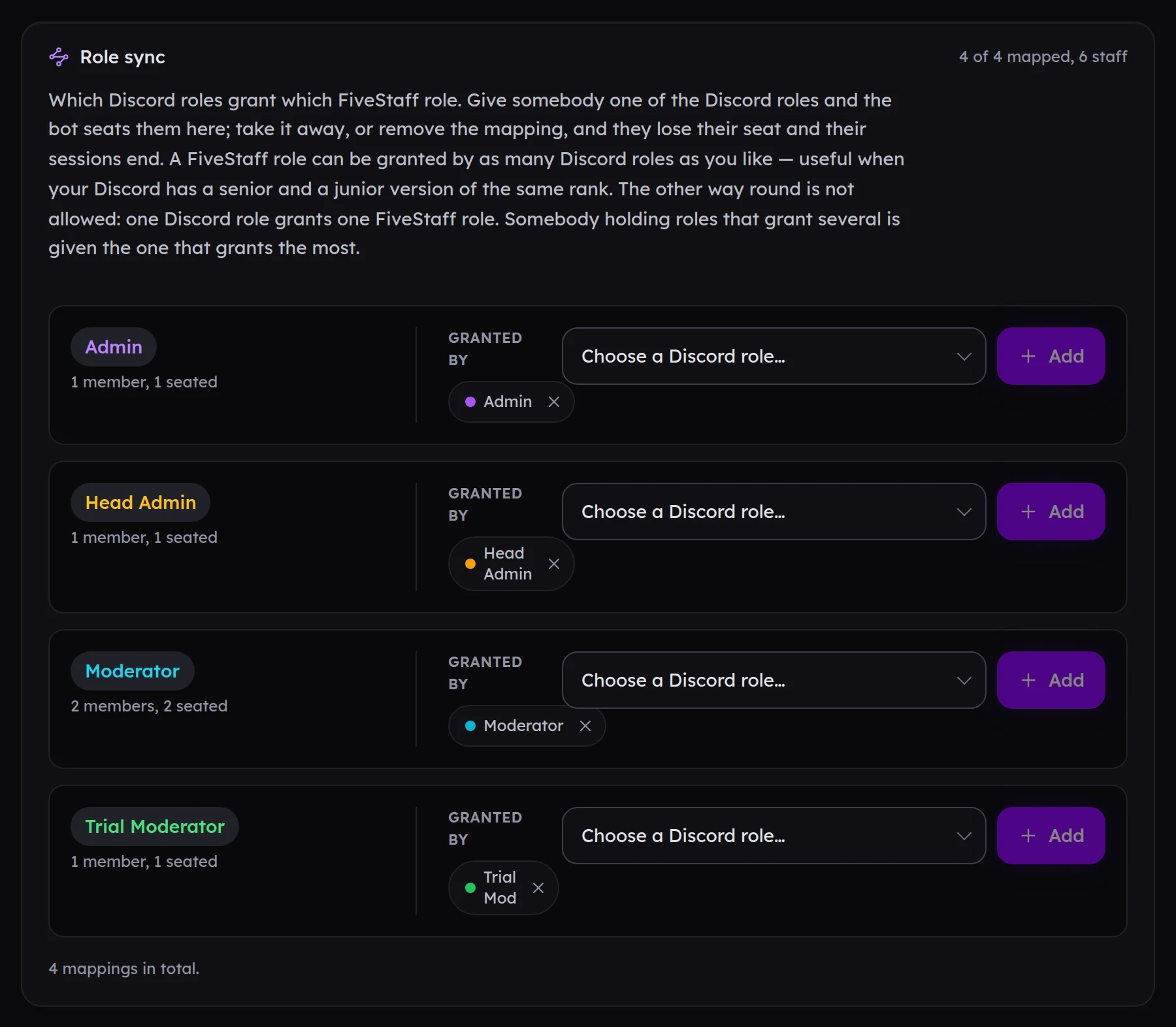
- Several Discord roles can grant the same FiveStaff role, such as a Senior Moderator and a Moderator role.
- Someone holding roles that grant different FiveStaff roles gets the one that grants the most.
- Take the Discord role away, or remove the mapping, and they lose their seat and are signed out.
- Role sync only removes seats it gave. People you invited with a link are left alone.
A new member of staff gets their seat the first time they sign in to the panel with Discord. Ask them to open panel.fivestaff.gg once.
Next step#
Run through the setup checklist.