
Player logs
A searchable record of what characters did on your server, from money and items to vehicles and deaths. How to switch it on, search it and manage storage.
On this page
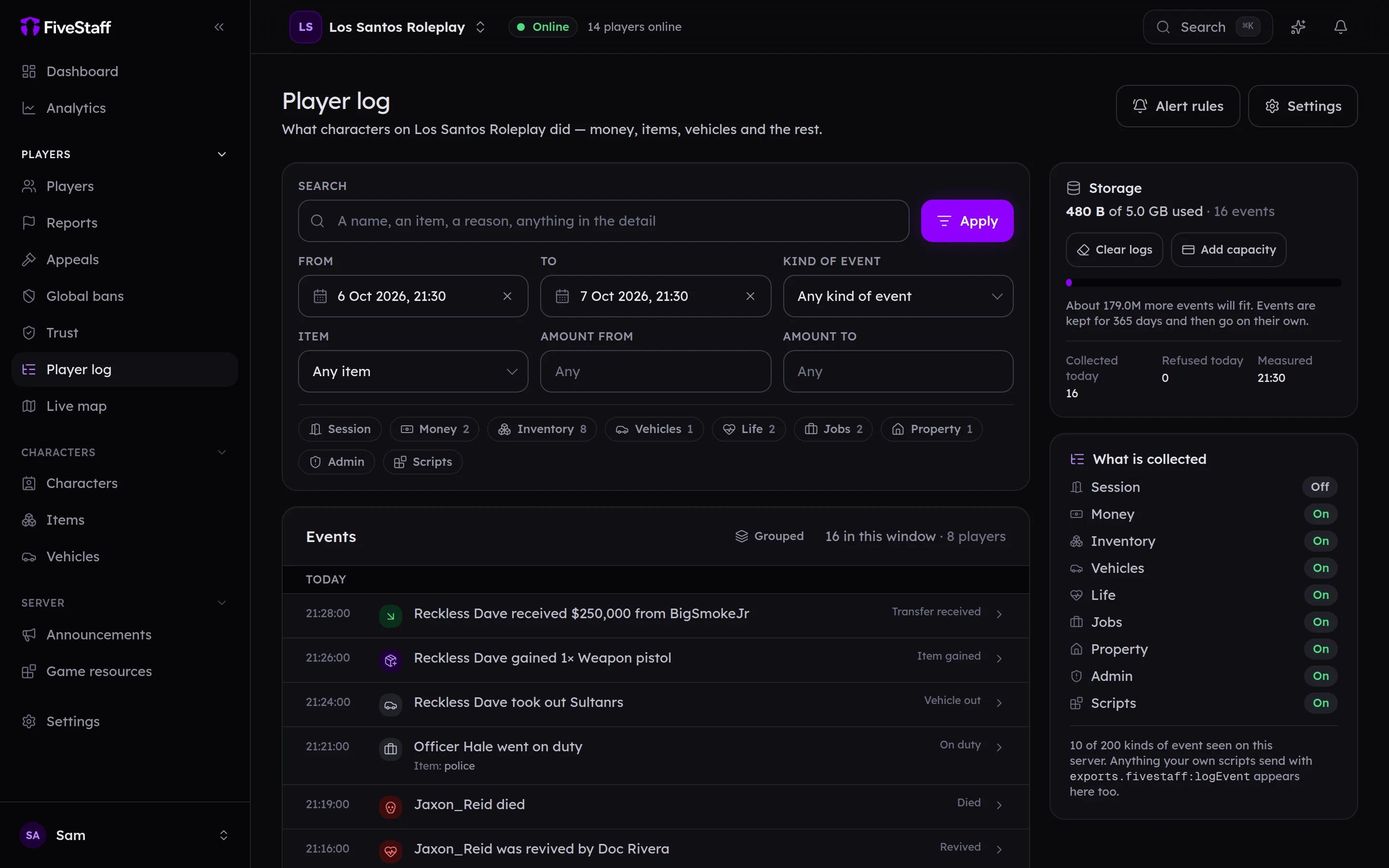
The player log records what characters do on your server: money moving, items gained and lost, vehicles taken out, deaths and revives, jobs, property and more. Your staff can search it by player, item, amount and time.
Switch it on#
The player log is off until you switch it on.
- Open Player log and press Settings.
- Turn on Collect player events.
- Choose What to collect. Every category except Session is on by default.
- Press Save.
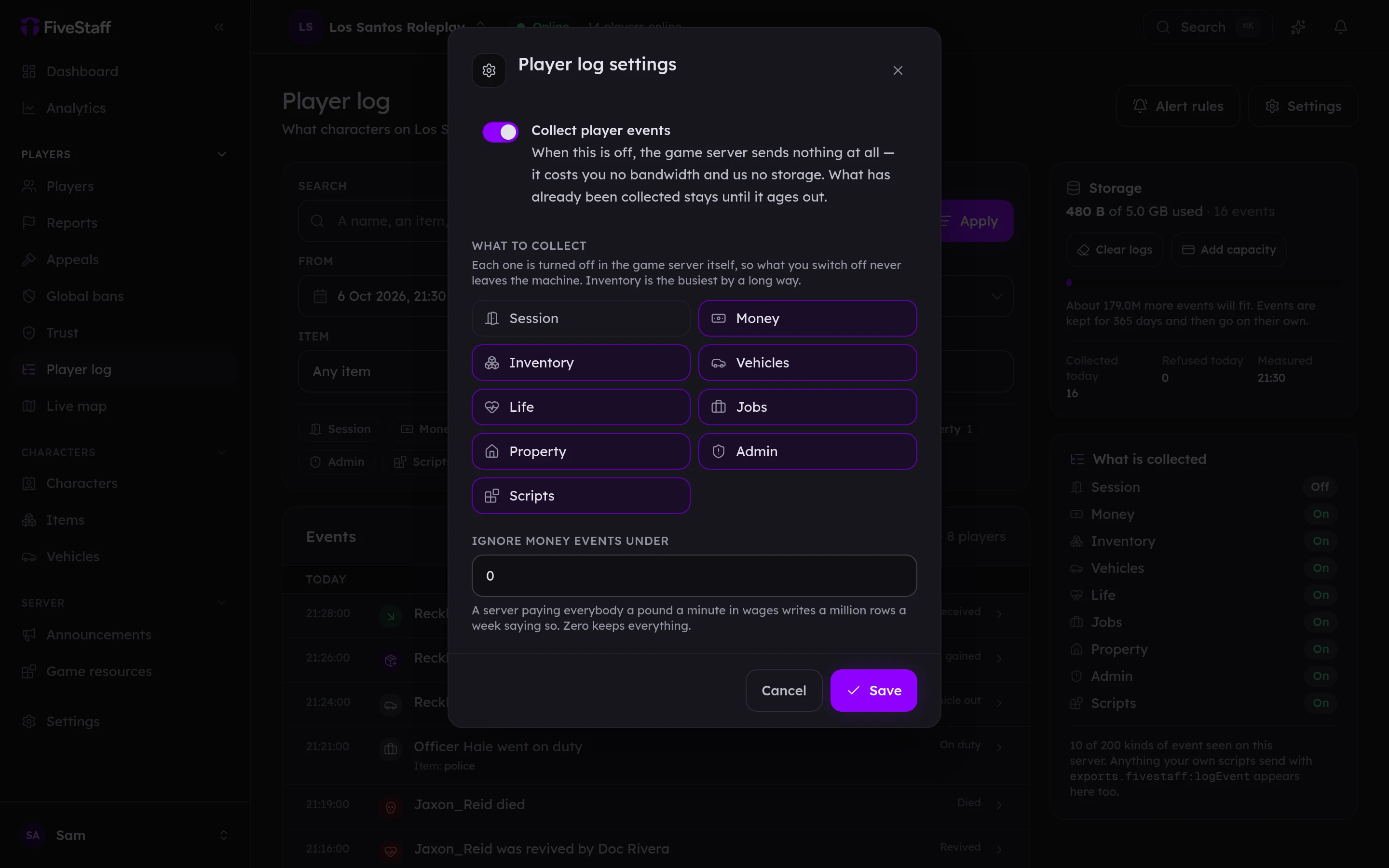
A category that is switched off is never collected at all, so it costs your server nothing. Ignore money events under skips tiny amounts, such as a server paying everybody a little in wages every minute.
FiveStaff picks up events from QBCore, Qbox, ESX and ox_inventory by itself, with no changes to your scripts.
The categories#
| Category | Examples |
|---|---|
| Session | Joining and leaving |
| Money | Cash and bank changes, transfers between players, purchases |
| Inventory | Items added, removed, used, sold and moved into and out of stashes |
| Vehicles | Vehicles taken out, stored and impounded |
| Life | Deaths and revives |
| Jobs | Job changes, going on and off duty |
| Property | Properties bought and sold |
| Admin | Things staff spawned or gave out |
| Scripts | Anything your own scripts send |
Searching#
- Search looks for a name, an item, a reason or anything else in the detail.
- From and To set the time window. It starts at the last 24 hours.
- Kind of event, Item and Amount from/to narrow it further.
- The category chips show how many events of each kind are in the window. Press one to show only that kind.
Press an event to see everything recorded about it, including where on the map it happened.
Repeats are grouped#
When a player does the same thing to the same item over and over, such as moving ten stacks into a stash, it is shown as one line with a count. Open it to see each one. Different players are never grouped together. Press Grouped to turn this off.
Elsewhere in the panel#
- A player's profile has an Activity tab with their log.
- Each character has a Logs tab.
- Every report keeps the reported player's last ten minutes of log, even after the log itself has moved on.
Storage#
Each plan comes with room for events. The Storage card shows how much is used and roughly how many more events will fit.
| Plan | Room for | Kept for |
|---|---|---|
| Free | 500 MB, about 17 million events | 30 days |
| Pro | 5 GB, about 179 million events | 1 year |
Older events are removed by themselves once they pass your plan's period. If the log fills up before then, new events stop being collected until there is room. Nothing old is overwritten. You are warned at 80% and 95% full if you have turned that alert on.
To make room, press Clear logs, choose whole months to remove and confirm. There is no undo.
Logging from your own scripts#
If you have custom scripts, such as a drug-selling script, they can add their own events with one line of Lua on the server side:
exports.fivestaff:logEvent(source, 'drugs.weed.sold', { item = 'weed_brick', amount = 5, price = 2500 })
- The name is yours to choose. Something like
what.happenedreads best in the log. itemandamountbecome searchable fields. Everything else shows in the event's detail.- It goes under Scripts. To file it somewhere else, add
category = 'money'(orinventory,vehicle,life,job,propertyoradmin). - A server can have up to 200 different kinds of event.
Permissions#
Reading the log needs View the player log. Changing what is collected and clearing it needs Choose what is logged, and clear logs.