
The global ban list
Share bans for serious cheating with other FiveStaff servers, and keep known cheaters off your own server.
On this page
The global ban list is shared between FiveStaff servers that choose to take part. It is for serious cases, such as cheating with a mod menu, not ordinary rule breaks.
Open Global bans in the sidebar.
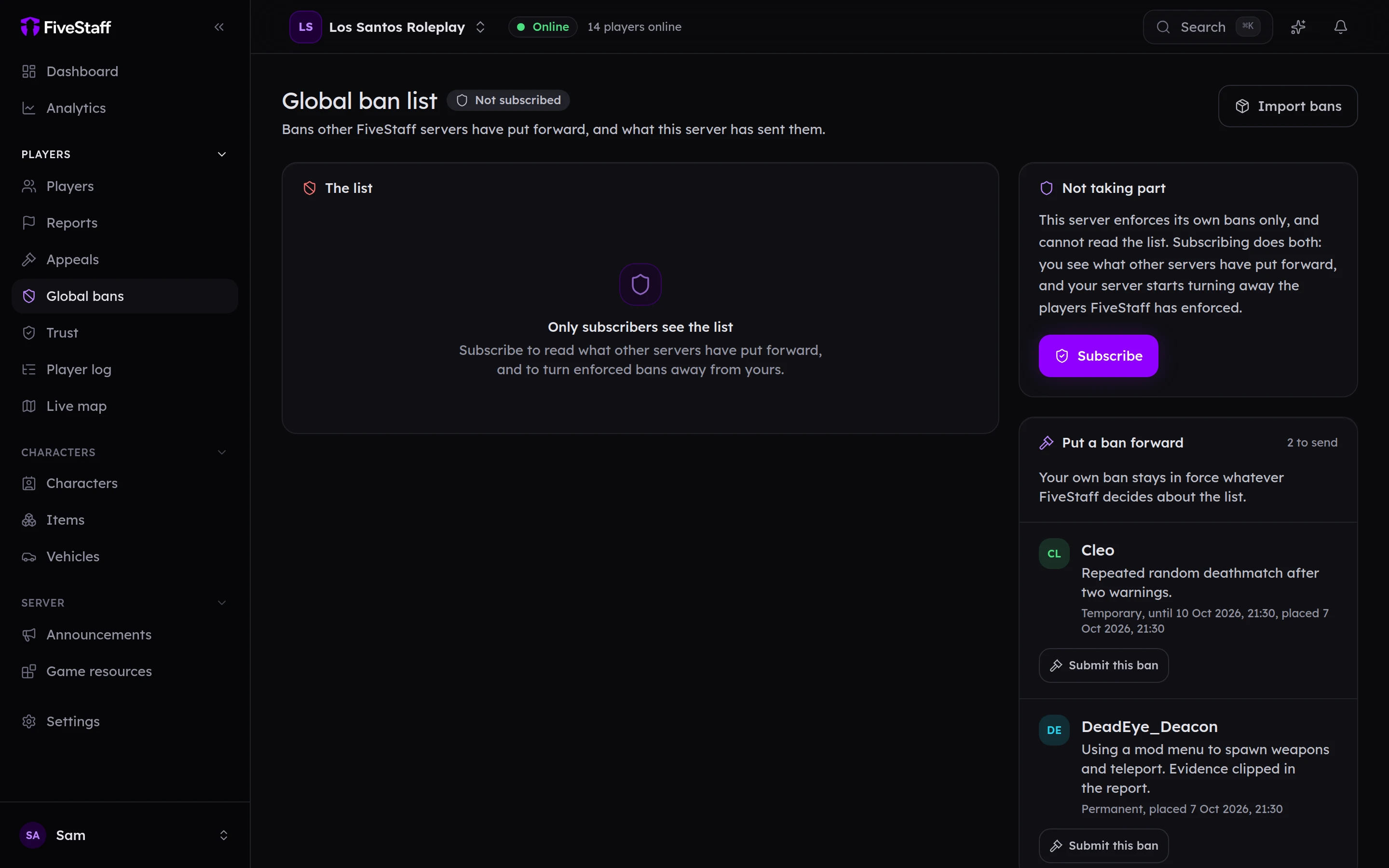
Taking part#
Press Subscribe. Your server then refuses anybody on the list whose ban FiveStaff has enforced, and you can read The list. Press Leave the list to stop at any time.
Subscribing needs Change server settings.
Putting a ban forward#
Put a ban forward lists your bans that are in force and not sent yet.
- Press Submit this ban on one of them.
- Say What the evidence shows, and add Links to the evidence such as clips.
- Press Submit to the global list.
Evidence is required. A new submission starts as Advisory: it is listed, but blocks nobody. It becomes Enforced once FiveStaff has reviewed it, or once three servers with different owners have banned the same player.
Your own ban stays in force whatever happens to the submission.
If a player disputes it#
A player can dispute their global listing from the appeal site. That goes to FiveStaff, not to you, and does not lift your own server's ban.