
The appeal page
Write the page banned players see when they appeal, with your own introduction, guidance, rules link and questions.
On this page
The appeal page is what a banned player sees when they appeal a ban from your server. You decide what it says and what it asks.
Go to Settings → Appeal page.
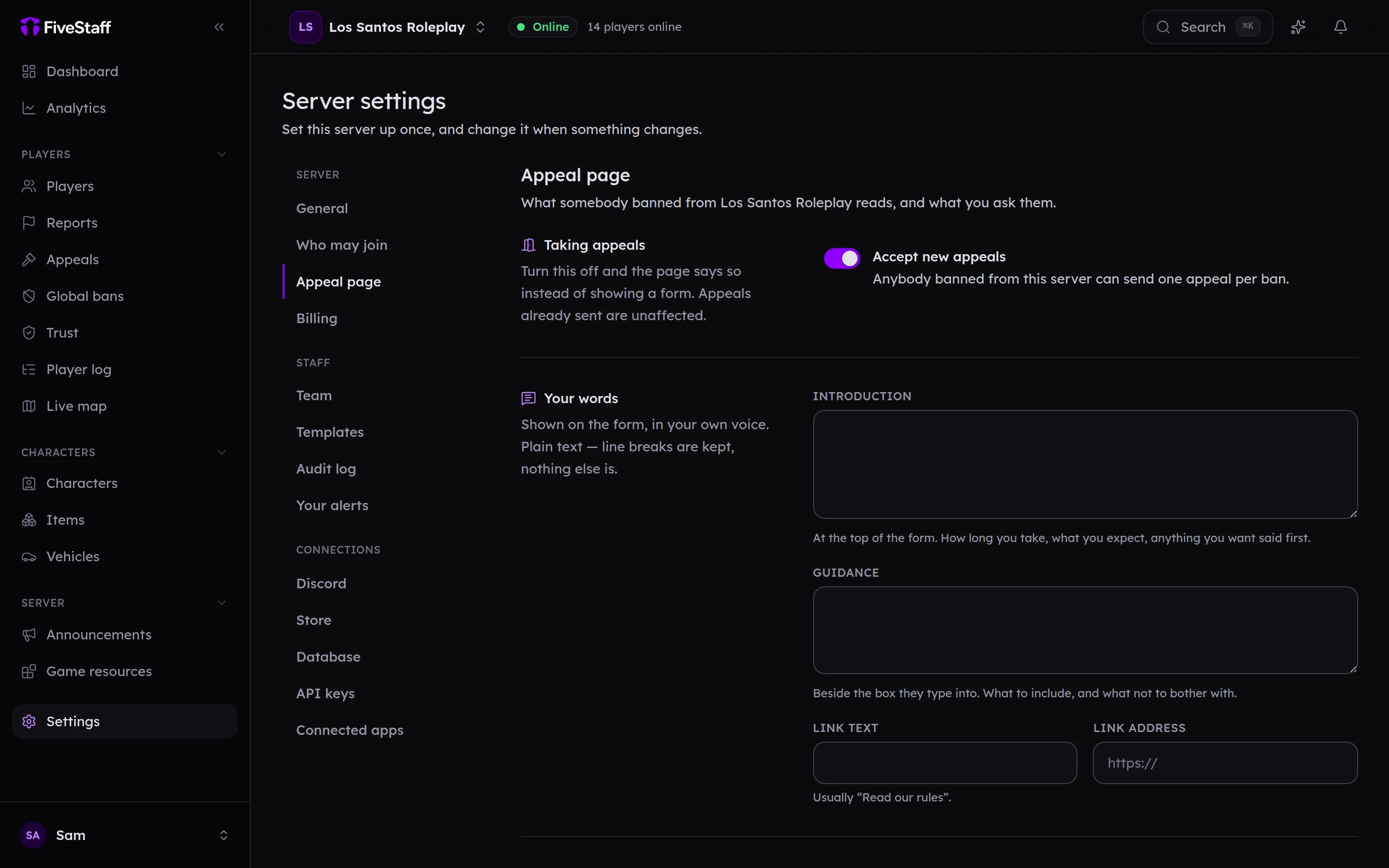
Taking appeals#
Accept new appeals switches appeals on or off for your server. When it is off, the page shows a message of your choice instead, and appeals already sent are not affected.
Your words#
- Introduction: at the top of the form, in your own voice. How long you take to reply, what you expect, anything you want said first.
- Guidance: beside the box they type into. What to include, and what not to bother with.
- Link text and Link address: a link to your rules, such as "Read our rules".
All three are plain text.
Your questions#
Press Add a question to ask up to ten. For each one, choose:
- The question, and an optional smaller line underneath.
- Kind of answer: a short answer, a long answer, or one of a few choices that you write.
- They must answer it, if it is required.
Without any questions, the form is a single box: "Why should the ban be lifted?"
How it looks#
The preview on the right updates as you type. The page carries your server's logo and colour. Change them under Settings → General, where Appeal page colour sets the accent.
Press Save in the bar at the bottom. Players see the new page straight away.