
Tebex purchases
Connect your Tebex store so your staff see what each player bought on their profile, and can look up any transaction.
On this page
Connect your Tebex store and every purchase appears on the buyer's profile. When a player says "I paid for that", your staff can check in seconds.
Connecting your store#
Go to Settings → Store.
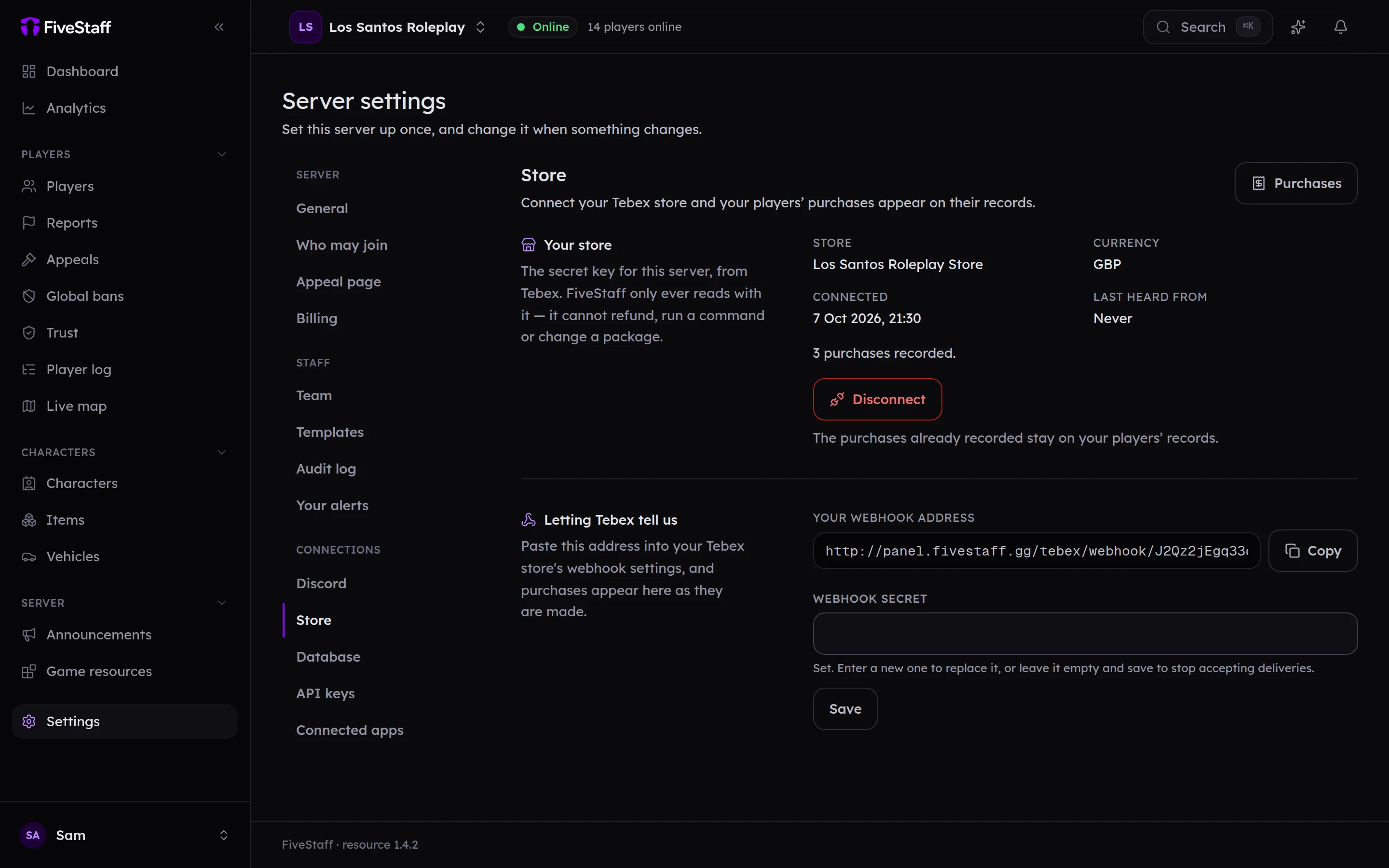
- In Tebex, open your server's settings and copy the secret key. Not the public one.
- Paste it into Secret key and press Connect the store. FiveStaff checks it first.
- Copy Your webhook address and add it as a webhook in Tebex.
- Copy the webhook secret Tebex gives you into Webhook secret and press Save.
Purchases start arriving as they happen. Nothing is accepted until the webhook secret is saved.
FiveStaff only reads from your store. It cannot refund, run commands or change packages.
Seeing purchases#
- A player's profile has a Purchases tab with everything they have bought.
- Players → Purchases lists recent sales across the server.
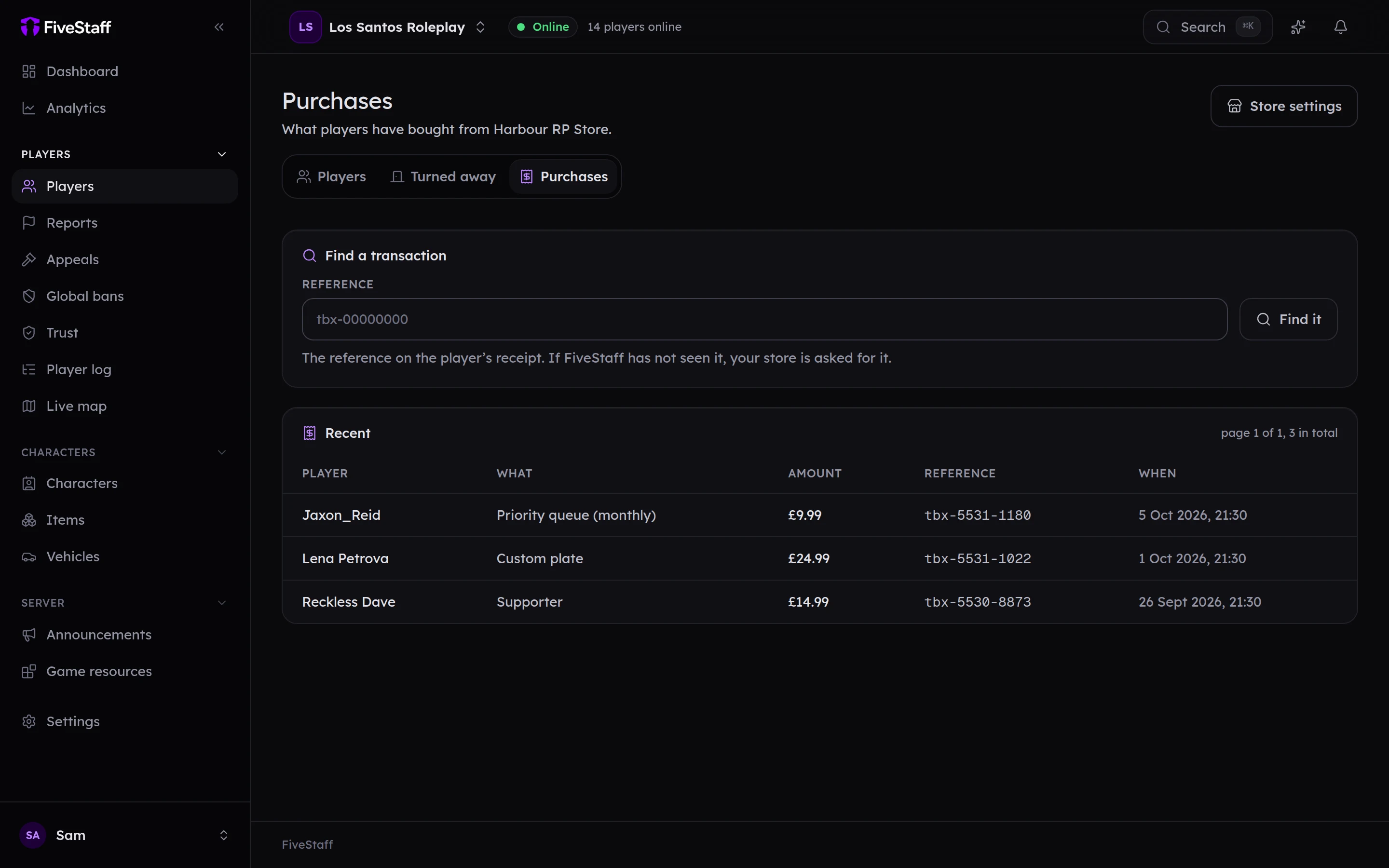
To find one purchase, paste its reference (it starts with tbx-) into Find a transaction and press Find it. If FiveStaff has not seen it, it asks Tebex.
Each purchase is marked Paid, Refunded, Charged back or Declined. A purchase FiveStaff could not match to a player says Not matched to a player.
Seeing purchases needs View store purchases. Connecting the store needs Manage API keys.