
Bans and appeals
How bans are enforced, how banned players appeal, and how your staff read, answer and decide appeals.
On this page
How bans work#
A ban is checked every time the player tries to connect. FiveStaff compares every identifier they connect with (licence, Discord, Steam, IP address and hardware tokens) against your bans, so one match is enough to keep them out.
- Your game server keeps its own copy of your bans, so they still work if it cannot reach FiveStaff for a while.
- Bans in force are never deleted, whatever your plan's data period. Only lifted and expired ones age out.
- Players who share identifiers with a banned player are flagged as linked accounts.
There are three ways a ban ends early:
- Lift ban on the player's Bans tab.
- Deleting the ban from their history.
- Accepting their appeal.
How players appeal#
Banned players are told where to appeal on the screen that refuses them. The appeal site is separate from the panel, and players sign in to it with Discord.
There they see their bans, and for each one still in force they can press Appeal this ban and answer your questions. They can add to the appeal until it is decided, and ask to be emailed the outcome.
Decide what the appeal form asks on the appeal page.
The Appeals screen#
Appeals lists appeals by Open, Accepted, Denied and All.
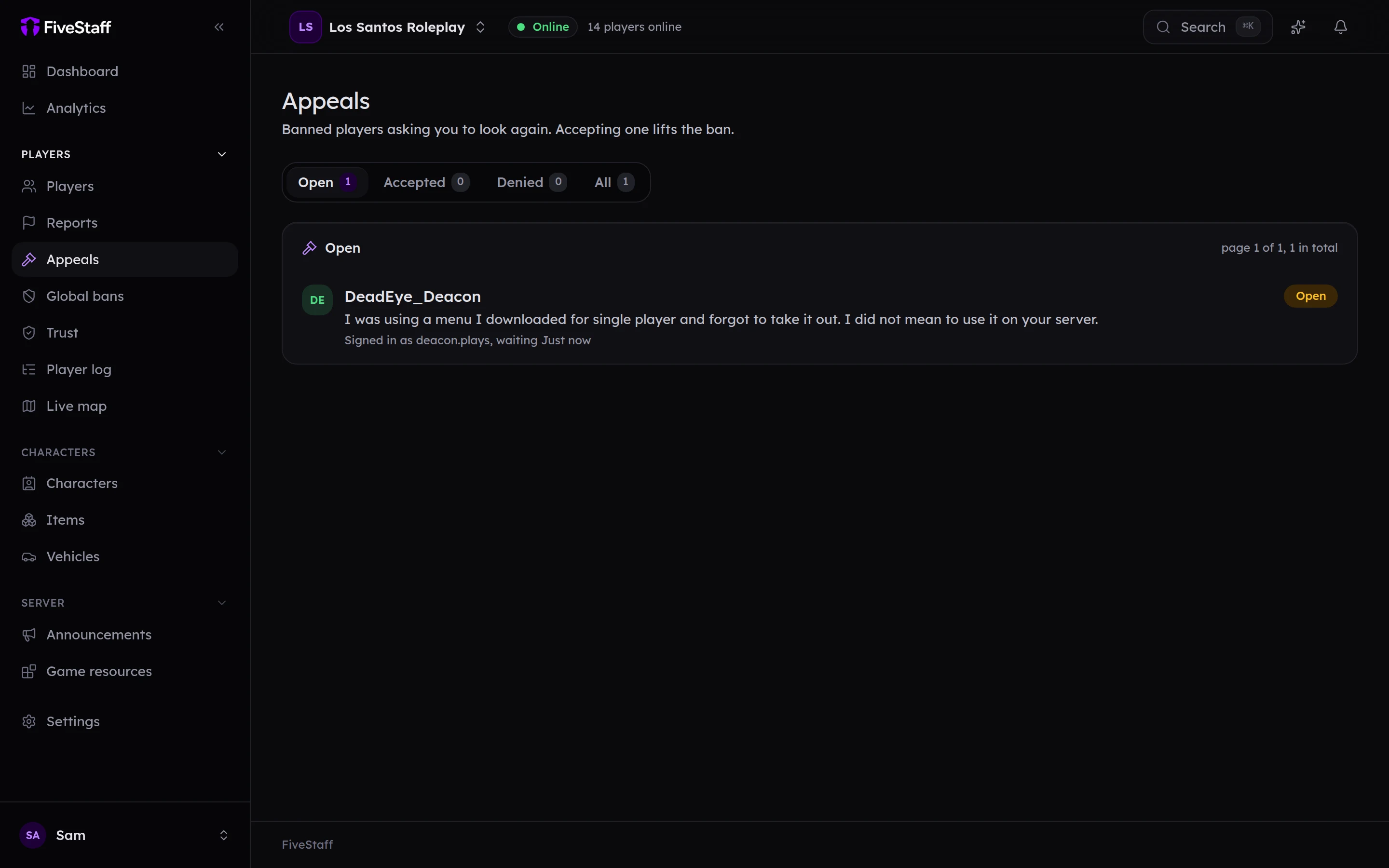
Open one to read it.
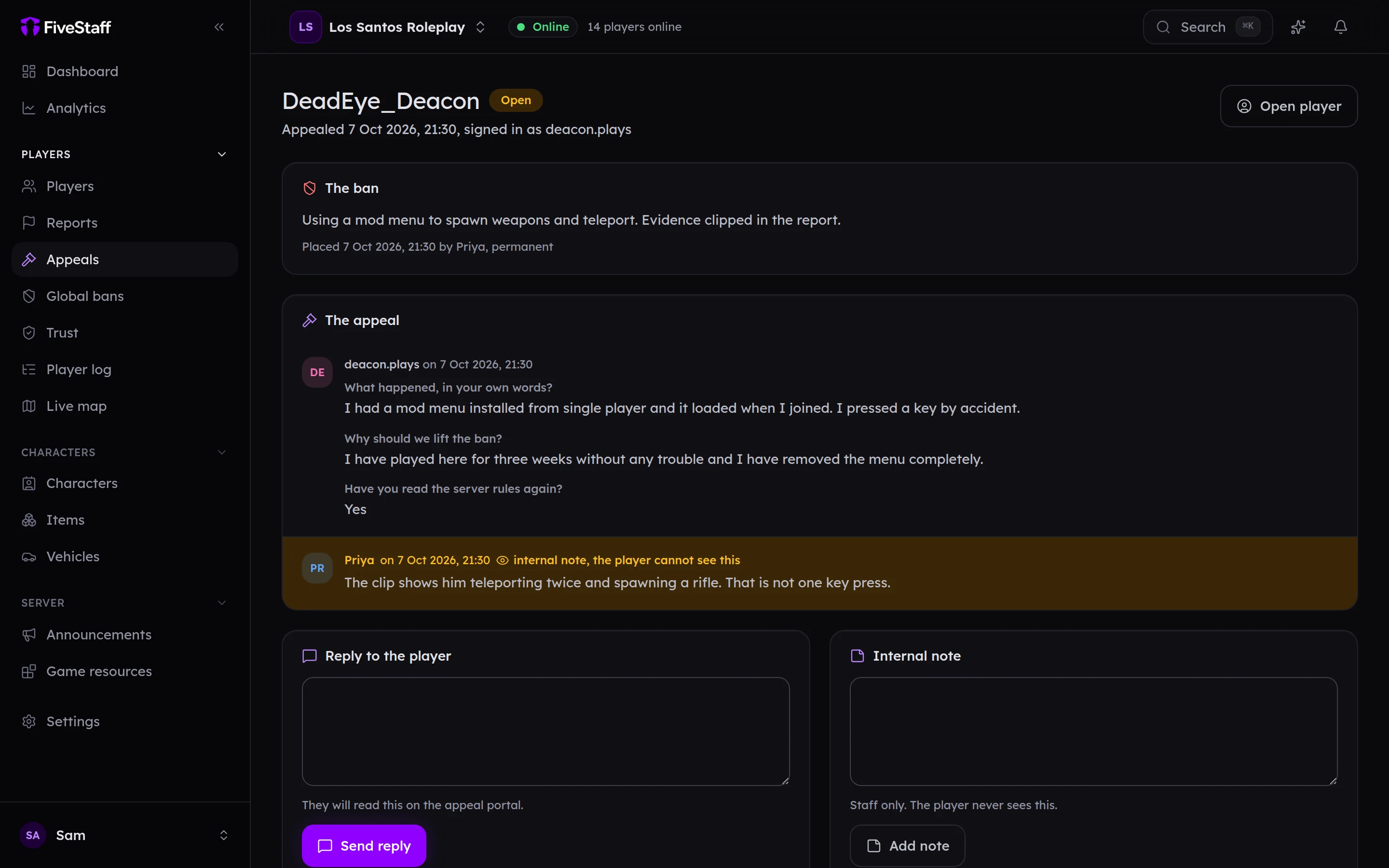
- The ban: what they were banned for, when and by whom.
- The appeal: their answers to each of your questions.
- Reply to the player: they read your reply on the appeal site.
- Internal note: for staff only. The player never sees it.
When you have decided, write an optional message under Decide, then press:
- Accept and lift the ban: the ban is lifted straight away.
- Deny: the ban stays.
Deciding needs the Decide appeals permission, and accepting also needs Lift bans. Staff without them can still read and reply.